Web HostingMost affordable shared hosting from TZS 9,100 per year
 Dedicated ServersExperience unmatched power and control with a physical server in Tanzania.
 WordPress HostingHigh-Speed, Tanzania-Optimized WordPress Hosting
 Windows HostingOptimized for Windows-based applications and websites
 cPanel HostingUser-friendly hosting powered by cPanel
 Email HostingProfessional Tanzanian email hosting for your .co.tz domain (Secure, reliable, and Swahili-supported)
 Reseller HostingLaunch your own hosting business with minimal technical requirements
 Affiliate ProgramEarn referral commissions by promoting our services
 DomainsFind and register available domain names in seconds
 Domain TransferMove your domain to us with zero downtime and full control
 .co.tzSecure the trusted .co.tz domain made for Tanzanian businesses.
 .tz DomainClaim the official .tz domain for national trust and recognition.
 .com DomainSecure the trusted .com domain for Tanzanian businesses.
 Supported Tlds (glTLDs and ccTLDs)Browse and register domain extensions from around the world
 Whois Lookup | Find Out Who Owns a DomainLook up domain ownership, expiry dates, and registrar information
 VPS
VPS VPS Hosting TanzaniaDedicated resources. Tanzanian performance. Full server control.
 Managed VPS TanzaniaNot a tech expert? Choose a managed Tanzania VPS.
 Website BuilderEasily build beautiful websites with drag-and-drop simplicity.
 Online ShopLaunch a professional e-commerce store without writing code.
 BlogFind latest business, marketing, and tutorials
 Contact UsContact Truehost TZ | 24/7 Web Hosting Support
Have you ever opened a website and seen a warning that says “Not Secure”? It feels unsafe, right? Now imagine that warning appearing on your own website thus causing visitors to leave within seconds, afraid to share any information.
That’s what happens when a site doesn’t have an SSL certificate.
An SSL certificate isn’t just a fancy tech thing. It’s the digital lock that keeps your website safe and tells visitors they can trust you. Without it, every form, login, or payment on your site can be exposed to prying eyes.
In this guide, I’ll break down what an SSL certificate really is, how it works, and why every website owner should care. Let’s get started.
What is an SSL Certificate?
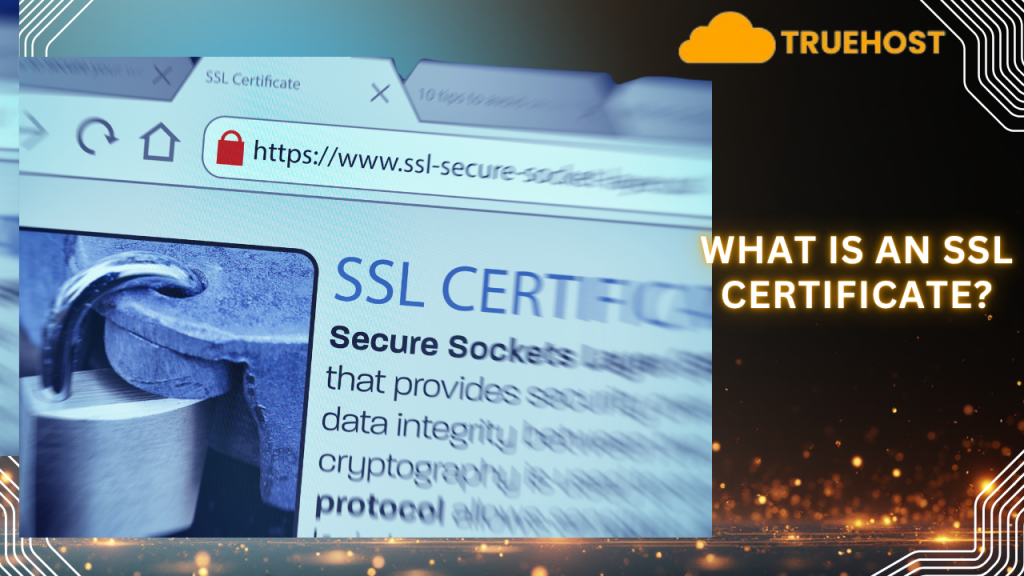
An SSL certificate is a small digital file that proves two things. First, it confirms that a website is genuine, not a fake one pretending to be real. Second, it encrypts the connection between your browser and the website, keeping all data private.
In simple terms, encryption turns readable text into secret code which only the website you’re visiting can unlock. This keeps hackers from stealing passwords, payment details, or any other sensitive information.
Therefore, when a site uses SSL, the connection becomes secure and shows up as HTTPS in your browser with a small padlock icon beside it. That padlock means your data is safe while it travels between you and the site.
Technically, SSL (Secure Sockets Layer) is the older version of what’s now known as TLS (Transport Layer Security), the protocol that powers secure communication on the internet today.
But why do you need an SSL for your website? Without SSL, browsers display warnings like “Not Secure”, which can instantly drive visitors away. So, users, especially those paying via mobile money or card, expect to see that padlock before they trust your site.
The good news is that SSL certificates are easy to get. For example, at Truehost you get a one-click installation, helping you secure your website users data and promote trust.
What Does an SSL Certificate Contain?
When you install an SSL certificate on your website, it comes with several important details that help browsers and visitors confirm your site is safe. Think of it as your website’s digital ID card where every field tells the browser something about your identity and trustworthiness.
Here’s what an SSL certificate usually includes:
- Domain Name: This shows the exact web address the certificate protects, for example, www.mybusiness.co.tz. It ensures that the certificate only works for that specific site.
- Owner Information: This identifies the person or organization that owns the website. Depending on the certificate type, it can display basic domain details or full company information.
- Certificate Authority (CA): This is the trusted organization that issues the certificate, such as DigiCert or Let’s Encrypt. Browsers only trust SSLs that come from recognized authorities.
- Public Key: This key encrypts data, like locking a message in a secure envelope before sending it.
- Private Key: Stored safely on your web server, this key decrypts the data when it arrives. It’s never shared publicly.
- Issue and Expiry Dates: These show when the SSL certificate was created and when it will expire. Once it expires, browsers warn users that the connection is no longer secure until renewed.
- Digital Signature: A verification stamp from the Certificate Authority confirming that the SSL is authentic and hasn’t been tampered with.
- Extra Fields: Some certificates include additional information such as subdomains, organizational details, or regional validation.
How Do SSL Certificates Work?
So, how does an SSL certificate actually protect your website? Let’s break it down step by step.
- A visitor opens your website: When someone types your website’s URL in their browser, say, a business site hosted in Tanzania, the browser immediately connects to your web server.
- The server sends its SSL certificate: Your server responds by sharing a copy of its SSL certificate. This file includes key details like your domain name and a public encryption key.
- The browser verifies the certificate: Before anything else, the browser checks if:
- The certificate comes from a trusted Certificate Authority (CA) such as DigiCert or Cloudflare.
- The certificate is valid and not expired, revoked, or mismatched.
- The domain name on the certificate matches the website being visited.
- A secure connection is created: If everything checks out, the browser and server agree on a special “session key.” This key is unique to that visit and locks all data exchanged during the session using encryption.
- Data is transmitted securely: From that point on, any information shared such as logins, payments, contact forms is scrambled into unreadable code. Only your server can decrypt it.
- Browser warnings if something’s wrong: If a certificate has expired or isn’t trusted, the browser alerts the user with a “Not Secure” message or a red warning sign. In many cases, users can’t even continue to the site.
This process turns ordinary HTTP into HTTPS, where the “S” stands for secure. It ensures that your visitors’ information stays private and tamper-proof.
Why Do You Need an SSL Certificate for Your Website?
If you own a website, whether it’s a business site, blog, or e-commerce store, installing an SSL certificate is no longer optional.
Here’s why:
1) Protects Your Visitors’ Data
Whenever someone enters their name, email, or payment details on your website, that information travels across the internet. Without SSL, it’s exposed.
Usually, SSL encryption scrambles this data so that even if someone intercepts it, they can’t read it. For example, if a student uploads study materials or a vendor sells documents online, SSL keeps those transactions private and safe.
2) Builds Trust Instantly
People now look for the padlock icon or the “https://” before they interact with a site. It’s a silent sign of safety. A secure website says, “We care about your privacy.”
Without it, visitors may think your site is risky or unprofessional.
3) Prevents Browser Warnings
Modern browsers like Chrome and Safari flag websites without SSL as “Not Secure.” Once visitors see that red warning, they usually leave immediately. In short, no SSL means fewer visitors and lost trust before you even start.
4) Improves Your Search Rankings
Google has confirmed that HTTPS is a ranking factor. This means websites with SSL certificates can appear higher in search results.
So, securing your site doesn’t just protect but also helps you grow your traffic.
5) Meets Legal and Compliance Needs
If your site handles payments or personal data, SSL helps you follow data protection standards. In Tanzania and globally, many businesses using online payment systems are now expected to use encryption for customer safety.
6) Keeps Your Website Future-Proof
The internet is moving toward full encryption. Sites without SSL are already being blocked from certain features, and that trend will continue. Installing SSL now keeps your site ready for future security and performance updates.
Types of SSL Certificates
Not all SSL certificates are the same. Think of them like different kinds of security locks where some are basic, some extra strong, and others built for big businesses. Thus, your choice depends on what kind of website you run and how much trust you need to show visitors.
That said, the following are the main types SSL certificates and what each means to your business website:
- Domain Validated (DV) SSL: This one is quick to get and easy to install. It only checks that you own the domain name and nothing more. Usually, the DV SSL is perfect for small blogs, portfolios, or simple information websites where you don’t handle payments or personal data.
- Organization Validated (OV) SSL: This certificate goes a step further. The issuing authority verifies not only your domain but also your business details, such as your name and location.
It’s ideal for companies or organizations that want to show visitors they’re legitimate and verified. - Extended Validation (EV) SSL: This is the gold standard of SSL certificates. Before it’s issued, the Certificate Authority performs a deep check on your organization. And when installed, it gives your site the highest level of trust, great for online stores, financial platforms, or services that handle sensitive user information.
- Single Domain SSL: As the name suggests, it protects only one website address. For example, it would cover www.mybusiness.co.tz but not any subdomains.
- Wildcard SSL: A Wildcard SSL is flexible as it protects your main domain and all first-level subdomains. Therefore, it’s a great pick if your site has multiple sections or subdomains under one roof.
- Multi-Domain (SAN) SSL: This one protects several different websites under one certificate. So, if you run multiple brands for example, mybusiness.co.tz, mybusiness.africa, and mybusiness.com, you can secure them all with a single SAN SSL.
Here’s a quick summary:
| Type of SSL | What it protects | Best for |
| DV SSL | Verifies domain ownership only | Blogs, personal or info sites |
| OV SSL | Verifies business and domain | Small or medium business websites |
| EV SSL | Highest verification and trust level | E-commerce, fintech, corporate sites |
| Single Domain SSL | One domain only | Sites with only one domain |
| Wildcard SSL | One domain + all subdomains | Sites with multiple sections/subdomains |
| Multi-Domain SSL | Several different domains | Businesses managing multiple websites |
How Much Does an SSL Certificate Cost?
The cost of an SSL certificate depends on the type, level of validation, and provider. The good news? You don’t always have to pay for one.
If you’re hosting your website with Truehost, you already get a free SSL certificate included in most hosting plans. Thus, it automatically encrypts your site and gives you that all-important padlock icon without extra setup costs.
However, if you need advanced protection or want to secure multiple domains or subdomains, you can also buy premium SSL certificates separately from Truehost. Prices are quite affordable compared to global rates, starting as low as $4.99 per year for AskSSL Starter, and scaling up to $79.99 for a Wildcard SSL, which covers all your subdomains.
For larger organizations or eCommerce stores that need stronger verification and higher warranties, Truehost also offers premium options. You get options like Sectigo PositiveSSL, RapidSSL, GeoTrust, and DigiCert, with prices ranging from around $10 to $200+ annually, depending on the level of validation and brand.
In short, the cost of an SSL certificate depends on your website’s size and trust needs. For most local businesses, a free or basic SSL is more than enough. However, you can always upgrade later as your site grows or begins to handle online payments.
Pro tip: Visit Truehost Tanzania to check current SSL prices or bundle one with your hosting plan which is the easiest and most cost-effective way to secure your site.
How to Get an SSL Certificate for Your Website
Getting an SSL certificate for your website is easier than you think, especially if you’re using a reliable host like Truehost.
Here’s a simple breakdown of how the process works:
- Choose your hosting provider: Start by deciding where your website will live. If you host with Truehost, most plans already come with a free SSL certificate, automatically installed. If not, you can purchase one separately from the Truehost SSL store.
- Pick the right SSL type: Choose the certificate that matches your needs. For example, a free DV SSL for blogs or small business sites, or a paid OV/EV SSL for eCommerce and larger companies that need higher trust.
- Generate a Certificate Signing Request (CSR): If you’re installing the certificate manually, your hosting control panel (like cPanel) can generate the CSR for you. You’ll just need to enter your domain name and a few details about your business.
- Verify your domain or business: Next, the Certificate Authority (CA) will confirm you own the domain. For DV SSLs, this is usually done by email or a quick DNS record update. OV and EV SSLs may require additional business verification.
- Install the certificate: Once your SSL is approved, upload it through your hosting dashboard. Many providers, including Truehost automate this process, so it’s just a one-click setup.
- Enable HTTPS: After installation, make sure your website loads securely with https://. Also, set up redirects so that visitors always land on the secure version.
- Test and renew: Finally, check for the padlock icon in your browser and test your SSL using any free online checker. Remember, SSL certificates typically expire after 12 months, so set a reminder or let your host auto-renew it for you.
Frequently Asked Questions (FAQs)
1) What is the purpose of an SSL certificate?
The main purpose of an SSL certificate is to encrypt the connection between a user’s browser and your website. That way, it ensures data like passwords, logins, and payment details stay private. SSL also verifies that your website is authentic, protecting users from fake or phishing sites which builds trust with visitors.
2) How do I get my SSL certificate?
You can get an SSL certificate from your web hosting provider, such as Truehost. Simply choose the SSL type you need, complete the domain verification process, and install it through your hosting control panel. Once active, make sure your site loads with HTTPS and not HTTP.
3) Is an SSL certificate free or paid?
An SSL certificate can be both free and paid. Many web hosts, including Truehost offer free DV SSLs with hosting plans. However, paid SSLs such as OV or EV certificates include stricter verification and higher trust levels, ideal for business or eCommerce websites.
4) How do I check if a site has SSL?
To check if a website has SSL, look at the address bar. If the bar starts with https:// and shows a padlock icon, it’s secured. You can also click the padlock to view details like the issuer, expiry date, and domain name.
5) Can I run my website without SSL?
Technically, yes, but it’s not recommended. That’s because websites without SSL are marked as “Not secure” by browsers like Chrome, which can scare off visitors and hurt your SEO ranking.
Final Thoughts
In today’s digital world, having an SSL certificate it’s very critical. Whether you’re running a small blog or a big ecommerce enterprise, SSL is what keeps your visitors’ data safe and your website trustworthy.
In summary, with SSL your site not only earns that familiar padlock of trust but also boosts its credibility and search visibility. It’s one simple upgrade that tells visitors, “You’re secure here.”
The good thing is Truehost makes it easy to get an SSL certificate for your website in Tanzania. First, you can get free SSL with hosting plans, which are automatically installed. Or, you can choose to buy from a range of affordable premium SSL certificates for stronger protection.