Web HostingMost affordable shared hosting from TZS 9,100 per year
 Dedicated ServersExperience unmatched power and control with a physical server in Tanzania.
 WordPress HostingHigh-Speed, Tanzania-Optimized WordPress Hosting
 Windows HostingOptimized for Windows-based applications and websites
 cPanel HostingUser-friendly hosting powered by cPanel
 Email HostingProfessional Tanzanian email hosting for your .co.tz domain (Secure, reliable, and Swahili-supported)
 Reseller HostingLaunch your own hosting business with minimal technical requirements
 Affiliate ProgramEarn referral commissions by promoting our services
 DomainsFind and register available domain names in seconds
 Domain TransferMove your domain to us with zero downtime and full control
 .co.tzSecure the trusted .co.tz domain made for Tanzanian businesses.
 .tz DomainClaim the official .tz domain for national trust and recognition.
 .com DomainSecure the trusted .com domain for Tanzanian businesses.
 Supported Tlds (glTLDs and ccTLDs)Browse and register domain extensions from around the world
 Whois Lookup | Find Out Who Owns a DomainLook up domain ownership, expiry dates, and registrar information
 VPS
VPS VPS Hosting TanzaniaDedicated resources. Tanzanian performance. Full server control.
 Managed VPS TanzaniaNot a tech expert? Choose a managed Tanzania VPS.
 Website BuilderEasily build beautiful websites with drag-and-drop simplicity.
 Online ShopLaunch a professional e-commerce store without writing code.
 BlogFind latest business, marketing, and tutorials
You are running a business. Somehow, you are also now a server administrator.
WordPress core gets updated when you remember to. You installed a security plugin that may or may not be working.
The last backup happened three weeks ago. Your server’s PHP version? Honestly, not something you have checked recently.
None of this is what you started a business to do. All of it sits between you and a site that could go down during your next WhatsApp promotion.
By the end of this article, you will know exactly which hosting type fits your site, your TZS budget, and which features to look for.
How Shared Hosting Works on a Technical Level

Shared hosting places your site on a server with dozens or hundreds of other sites. All of you share the same CPU, memory, disk I/O, and network bandwidth.
When one site on that server spikes in traffic, all sites slow down. Hosting professionals call this the “noisy neighbor” effect.
Shared hosting also gives you no WordPress-specific configuration out of the box. There is no server-side caching tuned for WordPress.
There is no optimized PHP setup for WooCommerce. All performance work falls on you. You handle it through plugins and manual settings.
This arrangement works fine for low-traffic sites. However, it breaks down fast under the kind of sudden traffic spikes that WhatsApp promotions create in Tanzania.
What You Pay and What You Actually Get
Shared hosting plans typically start at around TZS 7,700 to TZS 9,800 per month.
The low price tag feels attractive, especially for new site owners starting out.
However, that price does not cover everything you will need. Here is what shared hosting typically leaves out:
- A staging environment for safely testing changes before they go live
- Automatic WordPress core and plugin updates
- CDN integration for faster delivery to mobile users
- Malware scanning and automatic removal
- WordPress-expert support (you get general cPanel help instead)
- Security hardening
- Automatic backups
- Plugin conflict resolution
- Performance tuning
For a non-technical business owner, that maintenance adds up to 3 to 5 hours of work per month.
Time is money, and that gap matters more than the sticker price suggests.
When Shared Hosting Still Makes Sense for Tanzania
Shared hosting works well in specific situations. If your site is a personal blog, an informational brochure, or a community notice board, shared hosting is a reasonable starting point.
If you attract fewer than 5,000 monthly visits, you will likely not notice any performance gap.
Sites with under 5,000 monthly visits rarely push basic shared hosting to its limits.
The performance advantage of managed hosting is real, but it shows up more at higher traffic volumes.
Start on shared hosting, grow your audience, and migrate later when traffic demands it.
What Managed WordPress Hosting Actually Gives You
Managed WordPress hosting runs on a completely different server setup from shared hosting.
The server is built specifically for WordPress. That means different software, different caching layers, and different security rules active by default.
A managed WordPress host like Truehost uses LiteSpeed web server with LSCache. This setup delivers up to 6x faster page loads than standard Apache-based shared hosting.
It also includes a built-in Web Application Firewall (WAF), brute-force protection, malware scanning, SSL configuration, and automatic security patching for WordPress core.
Storage differs, too. Managed plans use NVMe SSDs, which process database queries up to 10x faster than standard SSDs.
For a WooCommerce store with 200 products, that speed shows up on every product page. Shoppers notice it. So does Google.
Many managed plans also support HTTP/3 and the QUIC protocol. This matters for Tanzania specifically.
QUIC reduces the connection handshake rounds that standard TCP requires.
Fewer handshakes mean lower effective latency for mobile users. That is a direct technical fix for Tanzania’s 72ms latency challenge.
The Managed Layer: What ‘Managed’ Actually Means
What you get with managed WordPress hosting:
- Eliminates the need for dedicated IT staff to handle updates manually.
- Managed plans include daily automated backups with one-click restore.
- A staging environment where you test changes safely before pushing them live.
- Server-level caching serves pages fast without relying on third-party plugins.
- WordPress-expert support connects you with people who actually know the platform.
What You Pay in Real Terms
Managed WordPress hosting at entry-level costs between TZS 36,000 and TZS 130,000 per month. That is 4 to 10 times the price of basic shared hosting.
Before that gap puts you off, run a quick calculation. A managed plan saves 3 to 5 hours of monthly maintenance time.
If you value your time at TZS 20,000 per hour, that is TZS 60,000 to TZS 100,000 in saved labor each month.
The price gap narrows quickly when you account for your own time.
WordPress-optimized servers also load pages 40 to 60% faster than standard shared hosting. Faster pages rank better in Google.
They also convert more visitors into paying customers. The return on investment comes from multiple directions at once.
Head-to-Head: Performance Where It Matters for Tanzania
To get a clear picture of how shared hosting performs compared to managed WordPress, let’s evaluate the performance across various factors.
1) Mobile Load Time Reality
Here is a direct comparison that matters for Tanzanian sites. On standard shared hosting,
Time to First Byte (TTFB) typically falls between 600 and 900 milliseconds.
On managed WordPress hosting, TTFB drops to 150 to 300 milliseconds.
Add Tanzania’s 72ms average mobile latency to those numbers. On shared hosting, a user on Vodacom waits at least 672ms before anything starts loading.
On managed hosting, that wait drops to around 222ms. Google measures this difference during its Core Web Vitals assessment. Users feel it the moment they tap a link.
Every additional second of load time increases bounce rate by roughly 32%.
With over 82% of Tanzanian internet users on mobile, a slow server does not just hurt user experience. It cuts organic traffic and reduces revenue directly.
2) Traffic Spike Handling (The WhatsApp Effect)
WhatsApp is Tanzania’s primary marketing channel for small businesses.
A single product post in a popular group can send 300 to 500 visitors to your site within minutes.
Shared hosting was not built for this kind of concentrated traffic.
Here is what happens on shared hosting during a spike. The server’s PHP workers fill up immediately.
New requests queue behind existing ones. The page timeout clock starts ticking.
Checkout pages fail. M-Pesa payment confirmations are delayed or drop. Customers leave and do not return.
On managed hosting, the story plays out differently. A CDN serves pre-cached product pages to the surge of visitors without hitting the origin server.
Only checkout requests, which cannot be cached, reach the database directly. The server handles a fraction of the raw computational load.
3) SEO Impact for Tanzanian Domains
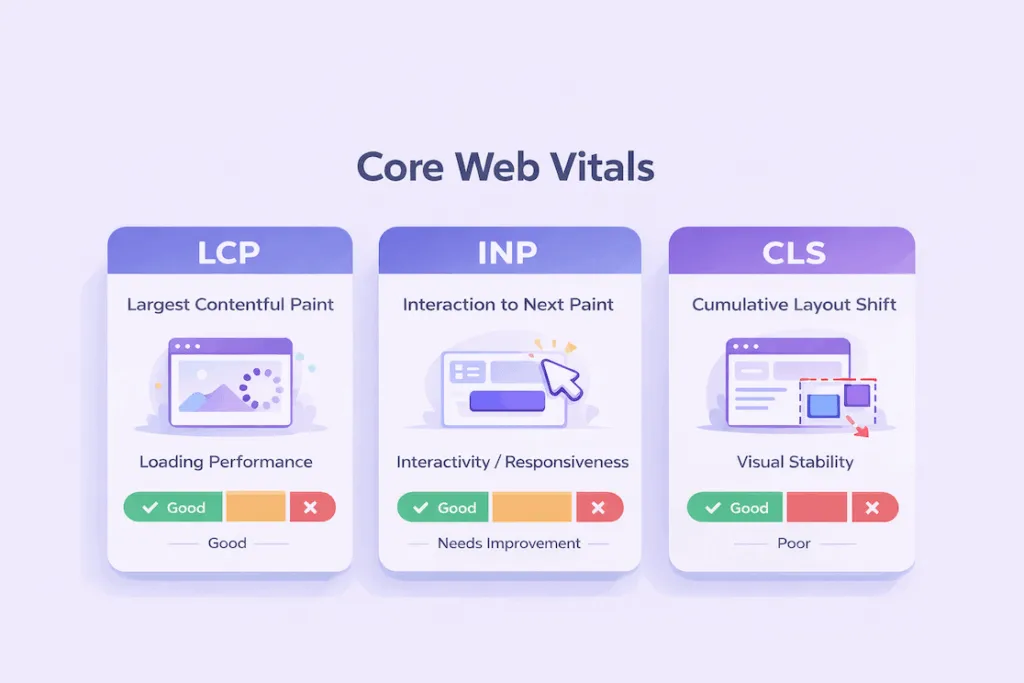
Google’s Core Web Vitals score tracks three metrics: Largest Contentful Paint (LCP), Interaction to Next Paint (INP), and Cumulative Layout Shift (CLS).
Hosting type directly affects your LCP score. LCP measures how long the main content takes to appear on screen after a user clicks your link.
Managed hosting’s server-level caching and NVMe storage cut LCP times dramatically compared to shared hosting.
A .co.tz domain is competing in local Tanzanian search ranks against other local sites. Many of those competitors still use basic shared hosting.
A speed advantage in a local SERP carries more weight than in a crowded global one.
CDN node location adds another layer. Most CDN providers maintain edge nodes in Nairobi and Johannesburg.
Managed plans that include a CDN serve Tanzanian visitors from a geographically close server.
Shared hosting sites often serve assets from European data centers, adding 80 to 120ms of extra round-trip time per asset file.
WooCommerce and M-Pesa: Where the Stakes Get Real
WooCommerce disables full-page caching for logged-in users and during the checkout process.
This means every checkout request hits the origin server directly. On shared hosting with limited PHP workers, this creates a processing queue under moderate traffic volumes.
A WooCommerce store with 200 products generates 15 to 40 database queries per product page.
NVMe-backed managed hosting processes those queries up to 10x faster than HDD-based shared hosting.
Shoppers feel the difference between a 0.3-second product page and a 2-second one. So does your conversion rate.
Redis or Memcached object caching also separates managed WooCommerce hosting from shared setups. These tools keep repeated database queries in memory.
The second visitor to a product page gets the result without triggering a fresh database read. This feature is absent from standard shared hosting plans.
Frequently Asked Questions
Is Managed WordPress Hosting Worth It for a Small Tanzanian Business?
Yes, if you run WooCommerce or depend on the site for leads and inquiries. No, if you run a personal blog with under 5,000 monthly visits.
Does Managed Hosting Improve Google Rankings for Tanzanian Sites?
Yes, indirectly. Core Web Vitals are a confirmed ranking signal in Google’s algorithm. Managed hosting improves your LCP and TTFB scores.
Better scores help you in competitive local SERPs where your Tanzanian competitors are vying for the same search positions.
Can I Run WooCommerce with M-Pesa on Shared Hosting?
Technically yes. Practically risky past a certain traffic volume. Under 50 orders per day on shared hosting is manageable for most basic setups.
Above that threshold, PHP worker limits and M-Pesa callback latency become genuine operational problems.
What Local Support Should I Expect from a Tanzanian Host?
Good support means WhatsApp response under one hour during business hours, a Swahili-language option for technical conversations, and WordPress-specific expertise beyond basic cPanel guidance.
What Happens If I Stay on Shared Hosting as My Traffic Grows?
The server throttles your site as visitor numbers increase. Google’s crawlers detect slower response times and score your Core Web Vitals lower as a result.
Visitors bounce before the page finishes loading, and your organic rankings gradually slip.
Switch To Managed WordPress Today
Follow these steps to move without downtime or data loss.
- Back up your entire site through your current host’s cPanel or a backup plugin like UpdraftPlus.
- Sign up for your new managed plan and set up a staging site on that server.
- Import your backup to the staging environment and test everything, including M-Pesa payment webhooks.
- Point your domain’s DNS nameservers to the new host once testing passes.
- Wait 24 to 48 hours for DNS propagation, then cancel your old shared hosting plan.
Do not wait for a peak-traffic crash to make the decision for you. Truehost offers assisted migration for new customers.