Web HostingMost affordable shared hosting from TZS 9,100 per year
 Dedicated ServersExperience unmatched power and control with a physical server in Tanzania.
 WordPress HostingHigh-Speed, Tanzania-Optimized WordPress Hosting
 Windows HostingOptimized for Windows-based applications and websites
 cPanel HostingUser-friendly hosting powered by cPanel
 Email HostingProfessional Tanzanian email hosting for your .co.tz domain (Secure, reliable, and Swahili-supported)
 Reseller HostingLaunch your own hosting business with minimal technical requirements
 Affiliate ProgramEarn referral commissions by promoting our services
 DomainsFind and register available domain names in seconds
 Domain TransferMove your domain to us with zero downtime and full control
 .co.tzSecure the trusted .co.tz domain made for Tanzanian businesses.
 .tz DomainClaim the official .tz domain for national trust and recognition.
 .com DomainSecure the trusted .com domain for Tanzanian businesses.
 Supported Tlds (glTLDs and ccTLDs)Browse and register domain extensions from around the world
 Whois Lookup | Find Out Who Owns a DomainLook up domain ownership, expiry dates, and registrar information
 VPS
VPS VPS Hosting TanzaniaDedicated resources. Tanzanian performance. Full server control.
 Managed VPS TanzaniaNot a tech expert? Choose a managed Tanzania VPS.
 Website BuilderEasily build beautiful websites with drag-and-drop simplicity.
 Online ShopLaunch a professional e-commerce store without writing code.
 BlogFind latest business, marketing, and tutorials
Most Tanzanian business owners don’t know this: TCRA regulations require registered businesses to use a .tz domain and a professional email address for official communication.
At the same time, customers in Tanzania are increasingly checking email domains before replying to business messages.
A free email address is now one of the fastest ways to lose a sale before it starts.
A business email is one of the cheapest ways to look like the serious operation you actually are.
With a business email, clients, partners, and suppliers take you more seriously when your email matches your business name.
It signals that you are an established operation, not someone testing the waters.
You can also create addresses for every staff member, department, or function, like support@, accounts@, or sales@, all under one roof.
What Do You Need to Create a .co.tz Business Email?
Most business owners dont have a professional business email becuase they assume it’s a lengthy process to get one or that the requirements are too technical.
You only need to register a domain name and acquire an email hosting plan to set up a professional business email.
Step-by-Step Setup Guide to Creating a Professional Business Email
Step 1: Choose and Register Your .co.tz Domain
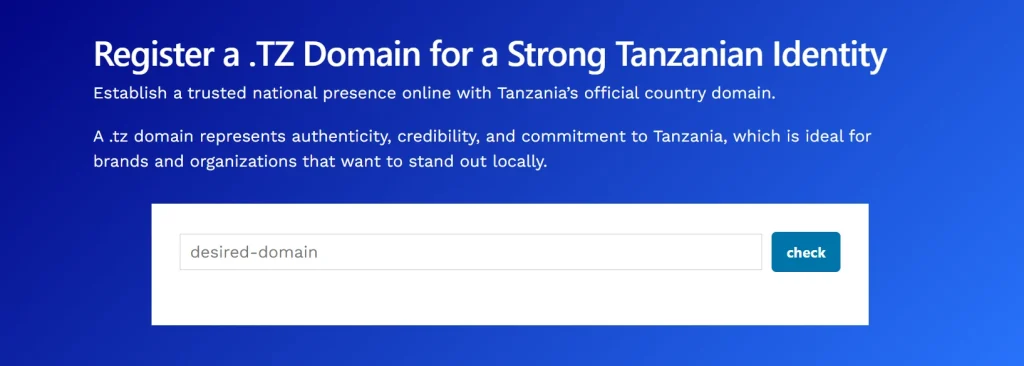
Your domain is your online business name, so pick something that matches your brand.
Make it easy to spell and easy to say out loud. Keep in mind that domain names can only use letters, numbers, and hyphens.
They cannot start or end with a hyphen, and must be 3 to 63 characters long.
Go to Truehost and register a .co.tz domain name in minutes.
Step 2: Pick an Email Hosting Plan
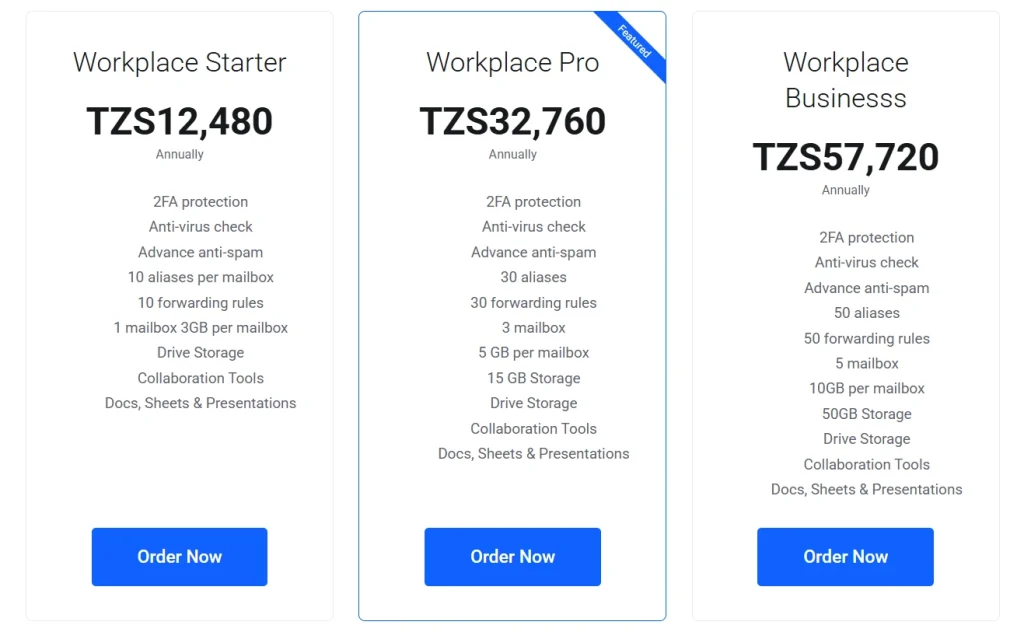
Once your domain is registered, you need a hosting plan to send and receive messages.
Before you choose, understand one key technical difference: POP3 versus IMAP.
POP3 downloads your emails to a single device. If you read email on your phone, those messages will not appear on your laptop.
IMAP syncs your inbox across all your devices simultaneously. For most businesses, IMAP is the better choice by far.
Also, match your plan to your actual team size. If you have three or more staff, look for a team plan with shared calendars and contacts.
Step 3: Configure Your DNS Records
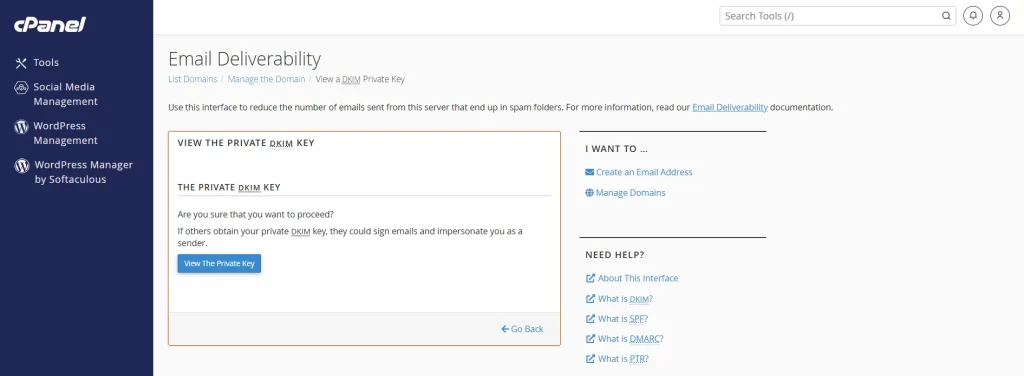
After completing the purchase of the email hosting plan, you will need to verify your DNS records.
DNS records tell the internet where to deliver your emails. Without them, your email won’t work even with a domain and hosting plan in place.
Three records matter most, and each one does a specific job:
- MX Record: This is the mail routing record. It tells the internet which server handles your incoming email.
- SPF Record: This prevents other servers from sending email using your domain name. It stops attackers from impersonating your address.
- DKIM Record: This adds a digital signature to every email you send. It proves to the recipient’s mail server that the message genuinely came from you.
Most local Tanzanian hosting providers automatically configure these records for you.
If not, their support teams are reachable via WhatsApp and can guide you through it step by step.
Step 4: Create Your Email Accounts
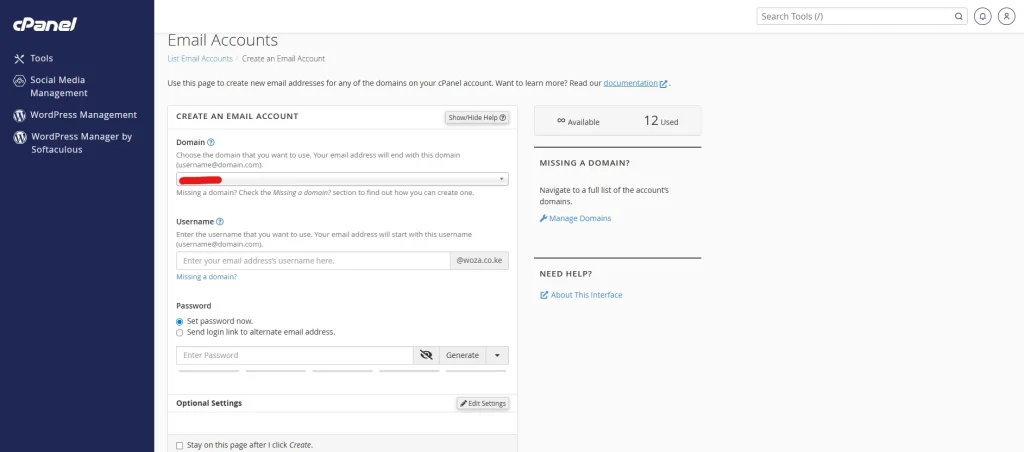
Now you build the actual inboxes. Start by choosing your email naming format.
The format you choose communicates your role and brand in every email you send.
- Use [email protected] for solo professionals.
- Use [email protected] when multiple staff members share the same first name.
- Use department-based addresses like support@, sales@, or accounts@ for customer-facing teams.
Most local hosts give you access to cPanel, which makes account creation simple.
You can also set up email aliases inside cPanel. An alias lets multiple addresses deliver mail to one inbox.
For example, hello@ and info@ can both land in your main inbox without any extra cost.
Step 5: Set Up Your Email on Your Phone and Desktop
Your inbox is ready. Now connect it to the apps you use every day.
The most common email clients all support IMAP and POP3 connections.
Your hosting provider will give you the exact server names and port numbers.
Most Tanzanian hosts use port 993 for incoming IMAP with SSL. For outgoing SMTP with SSL, they use port 465 or 587.
If you ever lose access to your email app, log in through your provider’s webmail with a browser.
Common Mistakes That Make Your Business Email Look Unprofessional
Getting a custom domain is a great first step. But a few common mistakes can still make your email feel amateur to the people receiving it.
1) Using a Generic Email Format That Reveals Nothing
A custom domain does not automatically fix a bad email format.
An address like [email protected] still looks sloppy on a business card.
Use formats that clearly communicate your role or name. These include [email protected] and [email protected].
2) Skipping SPF and DKIM Records
Many first-time business email users skip SPF and DKIM during setup.
The result is that their emails land directly in the recipient’s spam folder.
People who know you personally may still never see your message.
Most local Tanzanian hosting providers set these records automatically if you ask them to.
If you set up your email independently, confirm with your support team that both records are active.
3) Not Setting Up an Auto-Reply or Out-of-Office Message
An auto-reply tells your contacts you received their message. It also buys you response time without leaving anyone wondering if you got their email.
Most local hosting plans include this feature inside their webmail panel at no extra charge.
Set one up on day one before you send your first business email.
Frequently Asked Questions
Can I get a free professional email address in Tanzania?
Truly free custom domain email does not exist in a sustainable form. Some web hosting plans bundle email accounts into the overall price.
What is the difference between .co.tz and .tz email addresses?
.co.tz is for commercial businesses and is the most recognized local extension in Tanzania.
.tz is a general-purpose top-level domain available to any entity.
How much does business email hosting cost in Tanzania?
Local providers charge between TZS 12,000 and TZS 80,000 per year for a basic plan. The cost varies depending on the number of aliases per mailbox, forwarding rules, and storage per mailbox.
Do I need a website to get a professional email?
No, all you need to get a professional email address is to register a domain name and sign up for an email hosting plan.
Ready To Get a Professional Email Address?
Getting a professional business email is as simple as:
- Search for a .co.tz domain name on Truehost that matches your business name and register it.
- Sign up for an email hosting plan on our platform.
- Complete the purchases and sign in to your client area.
- Update the DNS records and verify your domain.
- Sign in to cPanel and create professional email addresses, such as [email protected].
- Configure your new email for your favorite email app.
- Send a test email to make sure everything works.
You now have everything you need. A domain, an email hosting plan, and a working inbox are all sitting within reach for less than TZS 4,000 a month.
The only thing left is to stop sending proposals from a Gmail address and start sending them from one that actually represents your business.