Web HostingMost affordable shared hosting from TZS 9,100 per year
 Dedicated ServersExperience unmatched power and control with a physical server in Tanzania.
 WordPress HostingHigh-Speed, Tanzania-Optimized WordPress Hosting
 Windows HostingOptimized for Windows-based applications and websites
 cPanel HostingUser-friendly hosting powered by cPanel
 Email HostingProfessional Tanzanian email hosting for your .co.tz domain (Secure, reliable, and Swahili-supported)
 Reseller HostingLaunch your own hosting business with minimal technical requirements
 Affiliate ProgramEarn referral commissions by promoting our services
 DomainsFind and register available domain names in seconds
 Domain TransferMove your domain to us with zero downtime and full control
 .co.tzSecure the trusted .co.tz domain made for Tanzanian businesses.
 .tz DomainClaim the official .tz domain for national trust and recognition.
 .com DomainSecure the trusted .com domain for Tanzanian businesses.
 Supported Tlds (glTLDs and ccTLDs)Browse and register domain extensions from around the world
 Whois Lookup | Find Out Who Owns a DomainLook up domain ownership, expiry dates, and registrar information
 VPS
VPS VPS Hosting TanzaniaDedicated resources. Tanzanian performance. Full server control.
 Managed VPS TanzaniaNot a tech expert? Choose a managed Tanzania VPS.
 Website BuilderEasily build beautiful websites with drag-and-drop simplicity.
 Online ShopLaunch a professional e-commerce store without writing code.
 BlogFind latest business, marketing, and tutorials
 Contact UsContact Truehost TZ | 24/7 Web Hosting Support
Have you ever visited your website only to see it defaced or offline? That moment hits hard! Trust is lost, visitors vanish, and revenue can take a direct hit.
The good thing is that dedicated server hosting gives you full control. Your server is isolated, powerful, and entirely yours to manage.
But that also means the responsibility for security rests squarely on your shoulders. And a secure server isn’t optional. It protects your data, your users, and your business reputation.
Therefore, in this article, I’ll unveil 10 practical security practices for dedicated server hosting.
Each step is actionable, realistic, and designed to keep your website safe while running smoothly in Tanzania and anywhere your users are.
Why Dedicated Server Hosting Security Is Important
Security is not optional for a website on a dedicated server. In short, a powerful server is only valuable if it is properly protected.
Without strong security, your data, customers, and reputation are at risk. That means a single breach can mean downtime, lost trust, and financial losses.
So, implementing the right security measures ensures your website stays online, performs well, and earns users’ trust. It also reduces the risk of costly attacks and regulatory issues.
Nevertheless, other main benefits of applying strong security practices on a dedicated server hosting are:
1) Protects Customer Data and Builds Trust
Your website handles sensitive information every day, including payments, emails, and personal details.
Thus, implementing strong security measures like encryption, firewalls, and strict access controls shields this data from hackers.
And, when visitors know their information is safe, they trust your site more. They stay longer, interact more, and are more likely to return.
2) Prevents Downtime and Revenue Loss
A single breach can take your website offline in seconds. When that happens, traffic drops, sales stop, and your brand reputation takes a hit.
But by implementing measures like DDoS protection, intrusion detection, and regular patching, you keep your site stable and online.
As a result, your website runs online smoothly, meaning customers can reach you anytime, and your business keeps earning.
3) Reduces the Risk of Malware and Defacement
A hacked website can turn into a nightmare fast. Pages get defaced, files are infected, and sometimes your site is even used to spread spam or phishing scams.
However, with strong server and application security, these risks are no more. For instance, regular updates, continuous scanning, and real-time monitoring help you detect threats before they cause real damage.
4) Supports Compliance and Legal Requirements
If your site handles payments or personal data, security is both best practice and the law. Standards like PCI-DSS and GDPR require strict data protection and privacy controls.
Thus, by securing your dedicated server properly, you stay compliant, avoid legal trouble, and protect sensitive user information.
But most importantly, it shows customers that their privacy matters to you and that builds lasting trust.
5) Improves Search Engine Rankings
Search engines reward safe websites. In short, strong security keeps your site clean and trustworthy in the eyes of both users and search engines.
Otherwise, if your site gets hacked or flagged for malware, Google can drop your rankings or even blacklist you.
That means your hard-earned traffic may disappear overnight, and your visibility may get lost in the trenches.
6) Protects Intellectual Property and Content
Your website might hold valuable assets such as unique content, research, or creative designs. Without strong security, these can be stolen or copied in seconds.
So, using encryption, secure backups, and strict access controls keeps your intellectual property safe and under your control.
7) Strengthens Server Integrity and Performance
A secure server is harder to hack and also runs better. So, when you disable unused services, harden SSH, and monitor logs, you block intruders and keep your system clean.
Plus, it prevents resource abuse and ensures your server performs at full power.
8) Facilitates Quick Recovery from Incidents
Even the best security setups aren’t bulletproof. Things can still go wrong.
That’s why having automated backups, clear recovery plans, and detailed logs matters. These tools help you restore your website quickly after an attack or failure.
And as a result, fast recovery minimizes damage, keeps your users confident, and gets your business back on track without major losses.
Best Security Practices for Websites on Dedicated Server Hosting
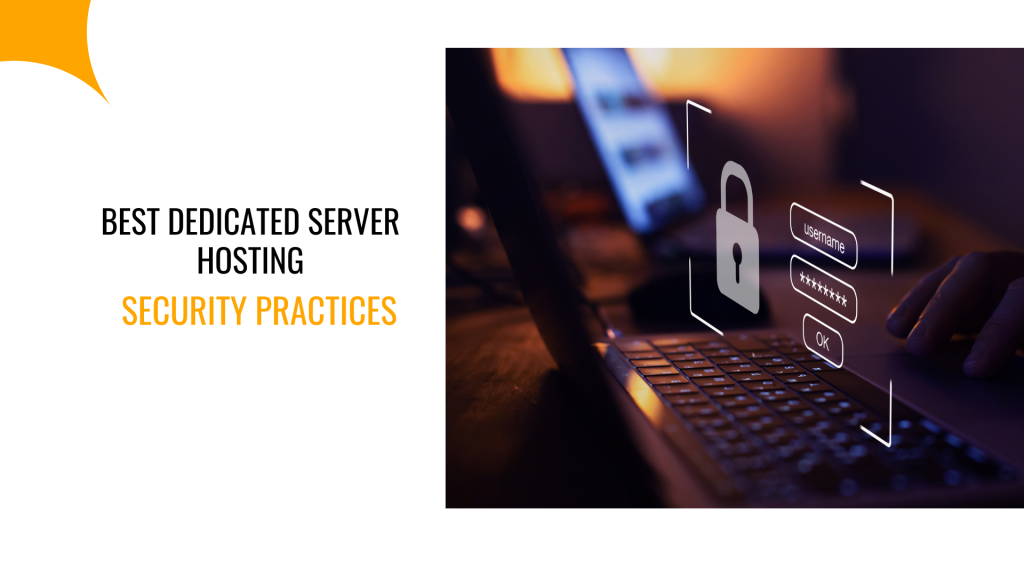
When you run your website on a dedicated server, you’re in charge. You control everything from performance to protection. That power also means you’re the first line of defense.
The truth is, most security threats don’t come out of nowhere. They happen when small things are overlooked, including an outdated password, a missed update, and a forgotten backup.
But with the right habits, you can stop most attacks before they even start.
Here are ten practical ways to keep your dedicated server secure, your data safe, and your website running smoothly.
1) Keep the Operating System and Software Up to Date
An outdated operating system or software creates an easy target for hackers. Each unpatched vulnerability is a door they can walk through.
However, applying security patches promptly closes these doors. Experts agree that regular updates are crucial to prevent a dedicated server from being compromised.
Therefore, set a schedule for updates and automate the process where possible. Also, enable notifications for new releases so you can act quickly.
2. Remove Unused Software and Services
Every application or service on your server is a potential entry point for attackers. The more unnecessary software you keep, the bigger your risk.
So, removing what you don’t need shrinks your attack surface and strengthens security.
For example, delete test modules, unused plugins, or old applications. Also, disable services that are not essential.
3) Use Strong Authentication and Two‑Factor Authentication
Passwords alone are no longer enough to protect your server, because weak or reused passwords are a leading cause of breaches.
For that reason, using strong, unique passwords across all accounts, including server login, control panels, and databases, is essential.
But to strengthen security further, enable two-factor authentication (2FA). This adds an extra layer of protection, so even if a password is compromised, attackers cannot gain access.
Also, beyond passwords, managing access carefully is crucial. Assign full rights to admins, give users only the permissions they need, and keep read-only accounts limited. This approach minimizes potential damage if credentials are exposed.
4) Harden SSH and Remote Access
SSH is a key entry point for attackers, making it a prime target for brute-force attacks. So, securing it is essential to protect your server.
Here is how to do it:
- Change the default SSH port: Reduces automated attacks that target standard ports.
- Disable root login: Prevents attackers from gaining full control directly.
- Use key-based authentication: Stronger than passwords alone.
- Enable two-factor authentication (2FA): Adds an extra layer of protection for server login.
- Limit access to trusted IPs: Restrict who can connect to your server.
- Configure firewall rules: Control and monitor remote connections for added security.
By combining these steps, you greatly reduce the risk of unauthorized access and keep your server safe.
5) Install and Configure a Firewall and Web Application Firewall (WAF)
A firewall is your first line of defense. It controls which traffic can reach your server. Without it, malicious requests can easily get through.
On the other hand, a Web Application Firewall (WAF) protects your site from attacks like SQL injection, cross-site scripting, and other application-level threats.
Use both together to create strong, layered protection. That means, network-level threats are blocked first, while application-level attacks are stopped before they reach your website.
6) Encrypt Data in Transit and at Rest
Encryption keeps sensitive data safe from interception or theft. Without it, even a small breach can expose critical information.
Therefore, use SSL/TLS to secure web traffic. For databases and backups, enable encryption protocols to protect stored data. Plus, ensure off-server storage is also encrypted.
7) Implement Regular Backups and Disaster Recovery Plans
Even the most secure server can fail. And in such a case, you need a backup to restore your site.
So, schedule automatic backups and store them off-site. Plus, regularly test the restore process to ensure you can recover quickly.
You can also use monitoring tools, logs, and alerts to detect issues early. That way, you’ll be able to recover your website and data, in case of a hacker penetration, which is rare with a reliable host like Truehost.
8) Monitor, Log, and Audit Server Activity
Monitoring your server keeps you ahead of potential incidents, while logs provide a clear record of who accessed what and when.
Thus, set up alerts for unusual activity, such as repeated login failures, unexpected file changes, or high outgoing traffic. These signals often indicate attempts to breach your server.
Regular audits also help you catch risks before they escalate. You can do the audit on a weekly or monthly basis to ensure your dedicated server remains secure and under control.
9) Network Security and DDoS Protection
Your server can be targeted by DDoS attacks, which aim to overwhelm it and make your site unavailable. This can disrupt business, damage reputation, and cost revenue.
To prevent this, ensure your hosting provider offers anti-DDoS protection. Combine it with traffic filtering, rate limiting, and a content delivery network (CDN) to absorb spikes in requests.
10) Apply Least‑Privilege Access and Physical Security
Applying least-privilege access keeps your server safer by limiting what each user can do. Only give necessary permissions, and avoid giving admin or root rights to everyone.
Role-based access ensures accounts have exactly what they need.
Also, regularly review these permissions, ideally every quarter, to catch unnecessary privileges. This prevents a single compromised account from affecting your entire server.
Final Thoughts
Choosing dedicated server hosting is a major step toward better performance and control. But control alone is not enough. Security must be built in from the start.
The ten practices outlined above give you clear, actionable steps you can take today. Each one strengthens your server, protects your data, and safeguards your users.
Remember, security is never finished. Update your software, audit access, monitor activity, back up regularly, and test recovery. Repeat consistently.
By doing this, your dedicated server becomes more than just a hosting platform. It becomes a secure, reliable foundation for your business. You protect your customers, your brand, and your future.
Thankfully, at Truehost, we take security seriously. You get a fully managed, secure, dedicated server, with expert support, automatic updates, and robust protection so your business stays safe and online.