Web HostingMost affordable shared hosting from TZS 9,100 per year
 Dedicated ServersExperience unmatched power and control with a physical server in Tanzania.
 WordPress HostingHigh-Speed, Tanzania-Optimized WordPress Hosting
 Windows HostingOptimized for Windows-based applications and websites
 cPanel HostingUser-friendly hosting powered by cPanel
 Email HostingProfessional Tanzanian email hosting for your .co.tz domain (Secure, reliable, and Swahili-supported)
 Reseller HostingLaunch your own hosting business with minimal technical requirements
 Affiliate ProgramEarn referral commissions by promoting our services
 DomainsFind and register available domain names in seconds
 Domain TransferMove your domain to us with zero downtime and full control
 .co.tzSecure the trusted .co.tz domain made for Tanzanian businesses.
 .tz DomainClaim the official .tz domain for national trust and recognition.
 .com DomainSecure the trusted .com domain for Tanzanian businesses.
 Supported Tlds (glTLDs and ccTLDs)Browse and register domain extensions from around the world
 Whois Lookup | Find Out Who Owns a DomainLook up domain ownership, expiry dates, and registrar information
 VPS
VPS VPS Hosting TanzaniaDedicated resources. Tanzanian performance. Full server control.
 Managed VPS TanzaniaNot a tech expert? Choose a managed Tanzania VPS.
 Website BuilderEasily build beautiful websites with drag-and-drop simplicity.
 Online ShopLaunch a professional e-commerce store without writing code.
 BlogFind latest business, marketing, and tutorials
Having a professional email address is a milestone for any Tanzanian business, but it’s only useful if you can actually access the messages.
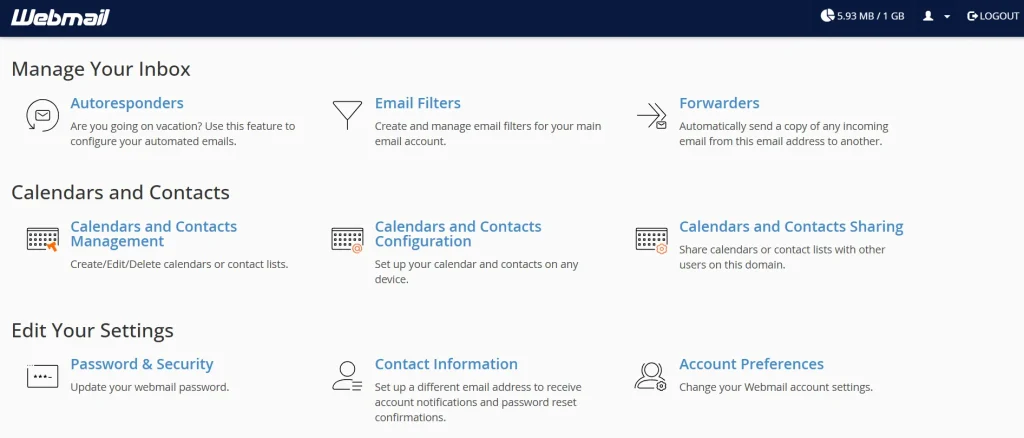
cPanel webmail lets you manage your emails from any browser, as long as you have your login credentials.
This guide is for website owners, freelancers, and business managers in Tanzania. It covers what cPanel Webmail is, how to log in, which client to pick, and how to fix common login problems.
What is cPanel Webmail?
cPanel Webmail is a browser-based email tool. It comes with every cPanel hosting account at no extra cost.
You read, write, and manage email directly from your browser. No software installation is needed.
Unlike Gmail or Yahoo Mail, cPanel Webmail is tied to your hosting account. Your emails live on your web host’s server, not on Google’s or Yahoo’s servers.
cPanel Webmail Features
1) Core Email Features
- Compose, reply, forward, and delete emails
- Rich text editor with formatting options
- File attachments: send and receive documents, images, and PDFs
- Drag-and-drop email organization into folders
- Built-in spell checker before sending
- Read receipts and delivery notifications
2) Inbox Management
- Custom folders and subfolders for organizing mail
- Search and filter emails by sender, subject, date, or keyword
- Mark emails as read, unread, flagged, or spam
- Bulk select and delete or move multiple emails at once
- Auto-expunge deleted messages from the trash
3) Spam & Security Controls
- Built-in spam filtering through SpamAssassin integration
- Whitelist and blacklist specific senders
- Mark individual messages as spam to train the filter
- SSL/TLS-encrypted login page on port 2096
- Session timeout after inactivity for account protection
4) Identity & Signature Settings
- Create a custom email signature with plain text or HTML
- Set up multiple identities under one account
- Choose a display name that appears in the recipient’s inbox
- Set a default reply-to address
5) Contacts & Address Book
- Save contacts with names, email addresses, and phone numbers
- Import and export contacts in vCard format
- Auto-suggest contact names when composing a new email
- Create contact groups for sending group emails
6) Filters & Auto-Responses
- Set up email filters to sort incoming mail automatically
- Route emails from specific senders straight to a chosen folder
- Create auto-reply messages for when you are away
- Schedule vacation replies with a start and end date
What cPanel Webmail Does Not Do
- No video calls or meeting scheduling
- No shared team calendars
- No offline access without IMAP app setup
- No built-in cloud file storage
- No mobile push notifications from the browser version
How to Access cPanel Webmail in Tanzania: Step by Step
There are three ways to reach your cPanel Webmail. Each method works, so pick the one that suits your situation.
Method 1: Direct Browser URL
Open any browser on your phone or computer. Type yourdomain.com/webmail into the address bar. Replace ‘yourdomain’ with your actual domain name.
The Webmail login page will appear. Enter your full email address: for example, [email protected]. Then type your email account password.
Method 2: Via Port 2096
You can also access Webmail by typing yourdomain.com:2096 into your browser. This connects you directly to the SSL-secured login page.
Use this method when the /webmail redirect fails to load. Some Tanzanian ISPs occasionally block non-standard ports.
In that case, switching from Wi-Fi to mobile data, or the reverse, often resolves the issue.
Method 3: Through Your Hosting Dashboard
Log in to your hosting provider’s cPanel client area.
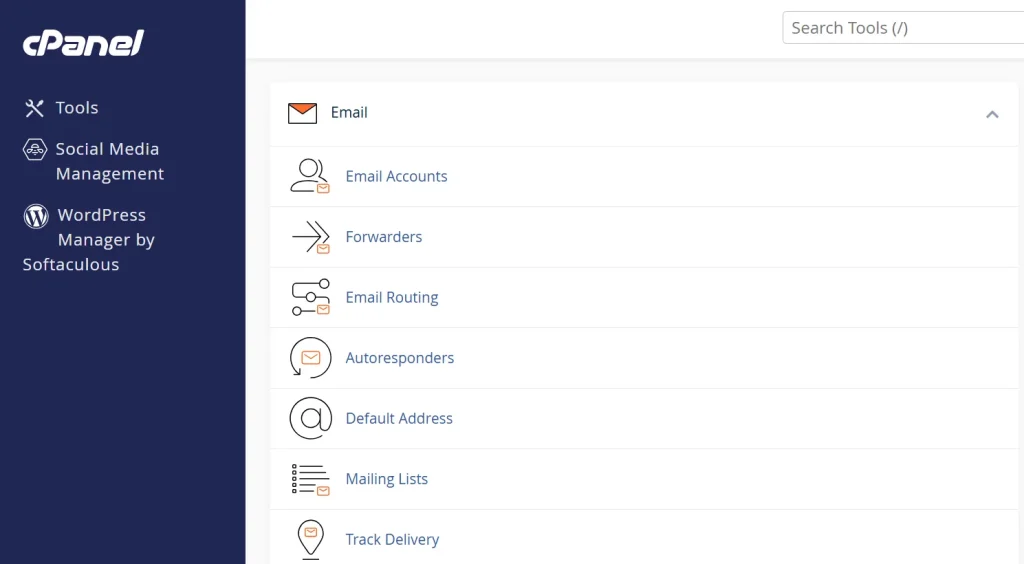
Inside the dashboard, go to your hosting plan, then find Email Accounts.
Click the ‘More’ dropdown next to your email address. Select ‘Access Webmail’ from the menu.
This method works even when you forget your Webmail URL completely.
How to Access cPanel Webmail on Your Phone in Tanzania
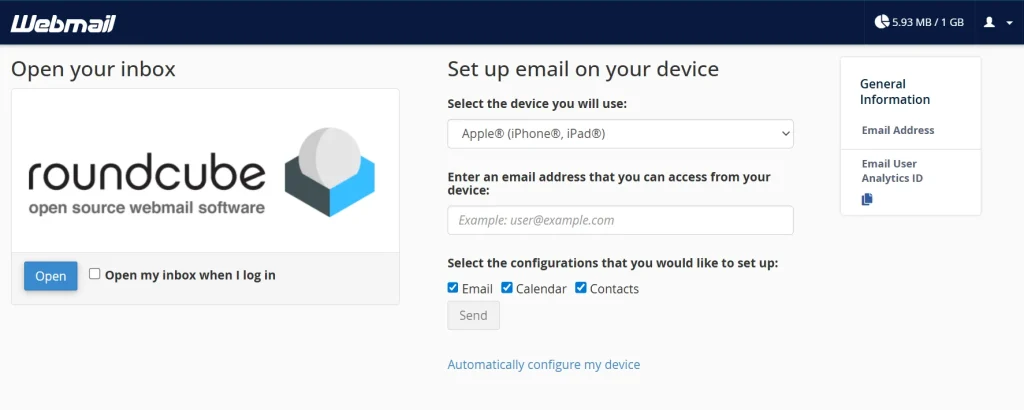
You can open cPanel Webmail in your phone’s browser. Roundcube adapts its layout for smaller screens. That said, a native email app gives a much better mobile experience.
To get the best experience on your phone, set up your phone’s built-in email app using IMAP settings. Most Tanzanian hosting providers use port 993 for incoming IMAP with SSL.
For outgoing SMTP with SSL, they use port 465 or 587. Your hosting provider’s welcome email or support team can give you the exact server name to use.
Here is how to add your email to an Android or iPhone:
- Open your phone’s Settings and go to Mail or Accounts.
- Select ‘Add Account,’ then choose ‘Other’ or ‘IMAP.’
- Enter your full email address and password.
- Set the incoming server to mail.yourdomain.com and port 993.
- Set the outgoing server to mail.yourdomain.com and port 465 or 587.
- Save the settings and test by sending yourself a message.
Popular email apps that work well with cPanel email include iOS Mail, the Gmail app, Outlook mobile, and K-9 Mail on Android.
Common cPanel Webmail Login Problems in Tanzania (And How to Fix Them)
Login problems are frustrating. Most of them, though, have a simple fix. Here are the most common issues Tanzania-based users face, along with how to resolve them.
1) Wrong Password or Username
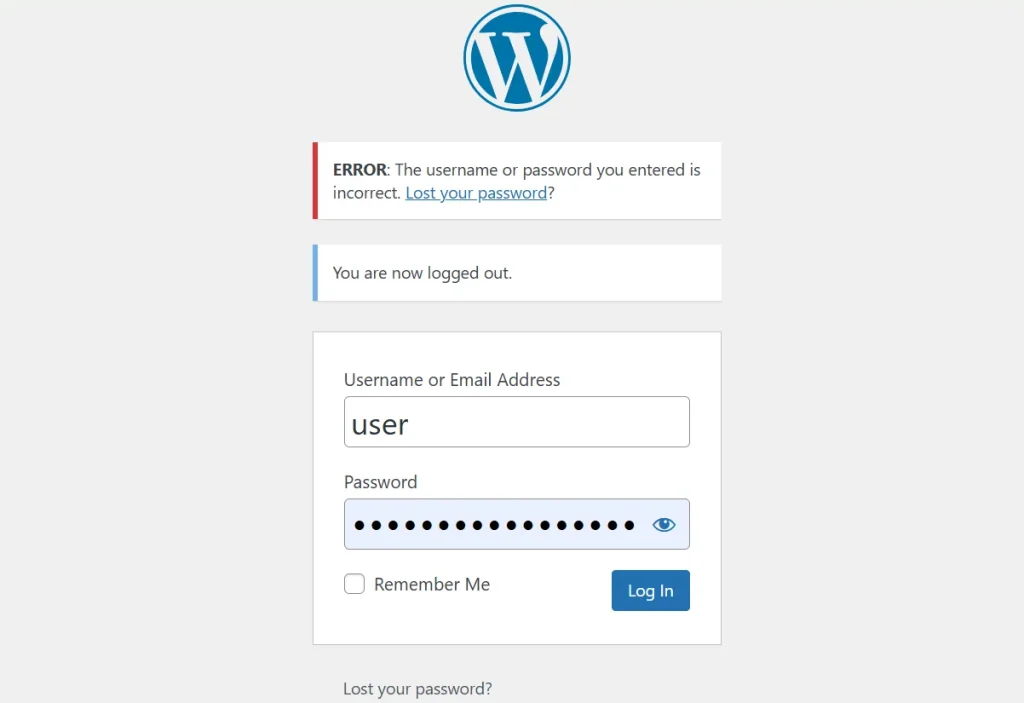
The single most common login mistake is using the wrong username. Your Webmail username is always your full email address.
To reset your email account password, log in to your hosting dashboard, go to cPanel> Email Accounts, and update the password there.
2) Page Won’t Load or Times Out
First, check whether your website is actually live. Open your domain in a browser and see if it loads. If it does not, your server might be down.
Contact your hosting provider’s support team directly. If your site is live but Webmail still times out, the issue is likely network-related.
3) SSL Certificate Warning on Login Page
An SSL warning on your Webmail login page means your hosting account does not have a valid SSL certificate installed.
The warning looks alarming, but it is common on new hosting accounts. To fix it, log in to cPanel and go to the SSL/TLS Manager section. Click Install SSL, then select the free Let’s Encrypt certificate included with your hosting plan.
Frequently Asked Questions About cPanel Webmail in Tanzania
What is cPanel Webmail, and how does it differ from Gmail?
cPanel Webmail is tied to your hosting account and uses your own domain name. Gmail is a standalone free service owned by Google. Your cPanel email lives on your host’s server in Tanzania, not on Google’s infrastructure.
How do I log into cPanel Webmail in Tanzania?
Go to yourdomain.com/webmail or yourdomain.com:2096 in your browser. Use your full email address as the username and your email account password. Then select Roundcube as your Webmail client.
Can I access cPanel Webmail on my phone in Tanzania?
Yes, you can open it in your mobile browser. For a better experience, set up your phone’s native email app using IMAP and SMTP settings from cPanel. Port 993 handles incoming mail. Port 465 or 587 handles outgoing mail.
Why can’t I log into my cPanel Webmail account?
Start by confirming that you are typing your full email address as the username. Check that the email account exists inside cPanel under Email Accounts.
If the page will not load, try switching your internet connection or accessing Webmail through your hosting dashboard instead.
Get Your .tz Professional Email Today
Getting started takes three things: a domain name like yourbusiness.co.tz, a hosting plan that includes email accounts, and two minutes inside cPanel to create your first address.
At Truehost Tanzania, all three come together in one place. Register your domain and get your preferred hosting plan. Your first professional email address is minutes away.
Get Started With cPanel Webmail Today
Over 50,000 businesses in Tanzania still send client emails from free Gmail or Yahoo addresses. That number is shrinking.
More local businesses are switching to domain-branded email every year, and cPanel Webmail makes that switch free with every hosting plan.